The 5 Best AI Sticker Makers in 2026 (and the One We'd Actually Buy)
A child says “a dinosaur on a skateboard,” and a few seconds later it peels off a roll. Every AI sticker maker can do that now. What separates them is where they work, what they cost to keep running, and what happens to your kid's voice.
The best AI sticker maker for most families is SayItSticker. It is the one that pairs a rechargeable battery (around five hours per charge, per the maker) with a color screen, a built-in camera and six art styles, so it works in the car and at a restaurant, not just at home. Pick Stickerbox if a published privacy stance is your top priority, or the MUNBYN Stickee SP01 if it will live on a desk and you want the biggest screen.
The best AI sticker makers, compared
Here is the short version, laid side by side. Everything below comes from each maker's own published specifications; where a maker doesn't publish something, we say so instead of guessing.
| AI sticker maker | Best for | Power | Screen | Camera | Art styles | Paper |
|---|---|---|---|---|---|---|
| 1. SayItSticker | Best overall, use anywhere | 1300mAh battery, ~5 hrs | 2.4″ color | Yes | 6 | Standard 57mm rolls |
| 2. Stickerbox (Hapiko) | Clearest privacy stance | No battery spec published | None listed | No | 1 house style | Branded rolls, ~180 in box |
| 3. MUNBYN Stickee SP01 | Biggest screen, desk use | Mains only (9V adapter) | 3.5″ | No | Not specified | Standard 57mm rolls |
| 4. Ognee AI Voice | Sharpest print | 1500mAh battery | 3.2″ | Not specified | Not specified | 50×70mm (non-standard) |
| 5. Puzzloria Sticker Box | Preview before printing | USB-C, capacity not published | 2.8″ | Not specified | Not specified | Standard thermal rolls |
Specs taken from manufacturers' published materials as of November 2026. We list no prices because they change weekly during the holidays.
What is an AI sticker maker?
An AI sticker maker turns a spoken or typed idea into a sticker. The phrase covers two quite different things, and most search results blur them together:
- AI sticker printers: small devices, usually aimed at kids, with a microphone, an AI image model and a thermal printer in one box. Say “a cat in a spacesuit,” and a black-line drawing prints onto a sticker roll, ready to color in. That is what this guide ranks.
- AI sticker maker apps: software such as Canva, Adobe Firefly or Picsart that generates sticker artwork on a screen. Great for digital stickers or print-shop files, but they don't print anything themselves. We cover them briefly further down.
The printers all work the same basic way. A child holds a button and talks. The device sends the request to an AI model online, gets a simple line drawing back, and the built-in thermal head prints it in a few seconds. Thermal printing uses heat instead of ink, so there are no cartridges. The only ongoing cost is paper.
Because they all run on similar AI, the drawings coming out of the top models look broadly alike. Every one prints in black and white, and none of the five charges a subscription to generate drawings. So the AI itself is not what decides which one is best. The hardware around it is.
How we chose
We compared every AI sticker maker here on the manufacturer's own specifications and on what owners say in public reviews. We haven't run them through a lab, and we don't publish made-up measurements. Where a maker leaves a gap, we flag it. We scored on six things:
- Where it works. Battery or mains only. This got the most weight, for a reason we explain below.
- Independence. Can a child use it without a parent unlocking a phone?
- Output variety. One house style, or several? A screen to see the drawing? A camera?
- Running cost. Standard rolls you can buy anywhere, or a proprietary size from one seller?
- Privacy and safety. Push-to-talk vs. always listening, content filtering, named certifications.
- Track record. How long the maker has been around and how much independent coverage exists.
The 5 best AI sticker makers in 2026
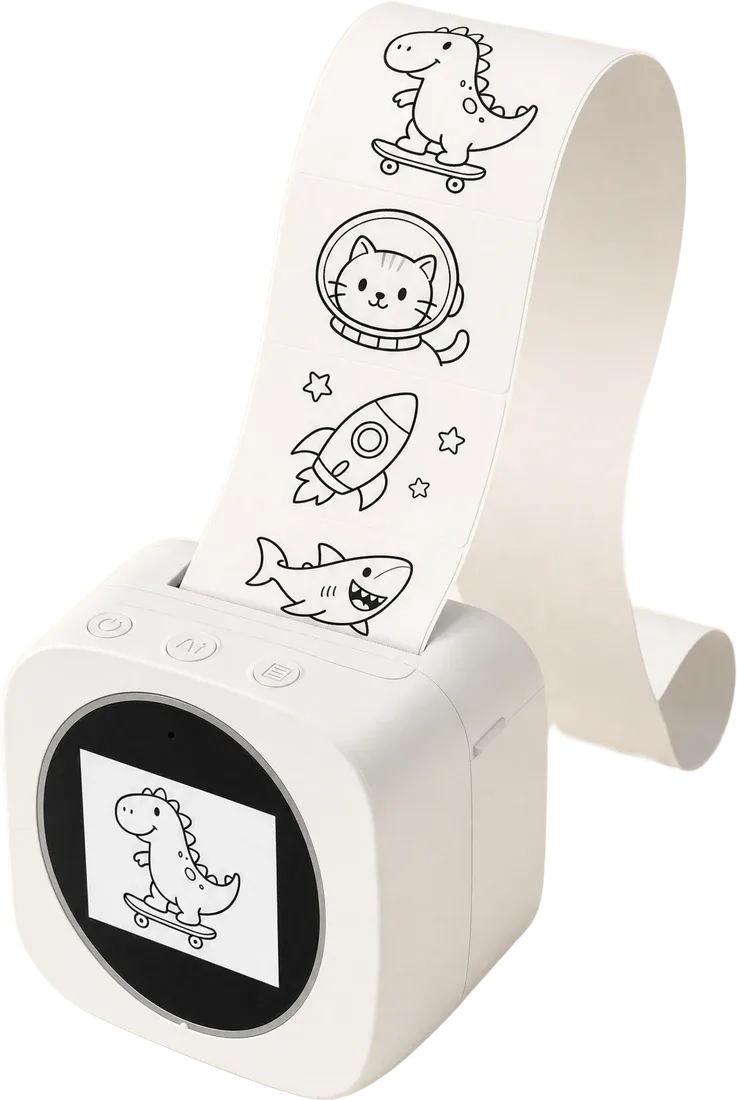
SayItSticker
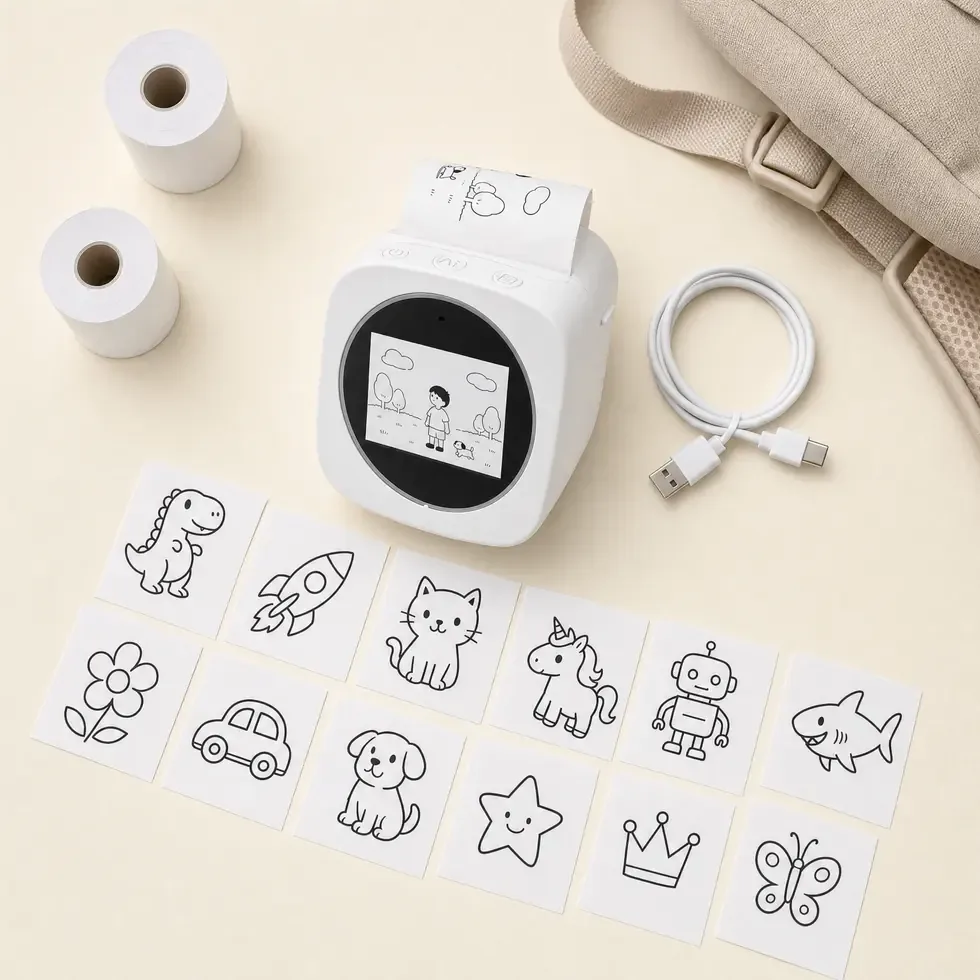
It does what every AI sticker maker does: hold the button, say something silly, get a line-drawn sticker in seconds. The difference is the battery. A 1300mAh cell, rated by the maker at about five hours of play and charged over USB-C, means this 8.8cm, 250g cube goes in the glovebox or the diaper bag and comes out when someone needs rescuing. It's also the only pick that adds a camera (point it at the dog, and the dog comes out as a sticker) and six art styles. It takes standard 57mm rolls, so refills aren't tied to one shop.
Pros
- The only pick that pairs a battery with a screen, a camera and multiple art styles
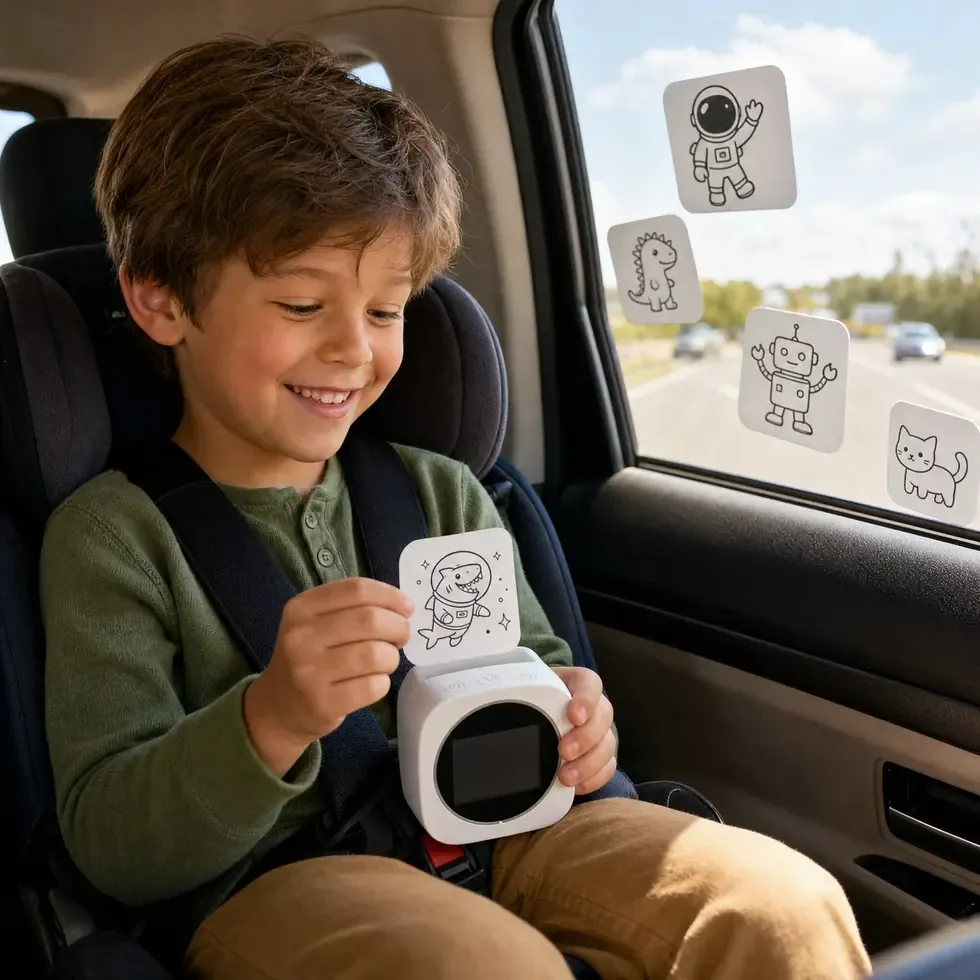
- About five hours per charge, so it works in a moving car
- Six art styles, so the 100th dinosaur doesn't look like the first
- No subscription for AI generations
- Standard 57mm thermal rolls
Cons
- Black-and-white output, like the rest of the category
- Generation runs online, so it needs Wi-Fi or a phone hotspot
- Stickers are small: great for coloring, fiddly for toddlers
- Newest brand here, with the shortest track record
Stickerbox by Hapiko
The product that started the category, from a Brooklyn startup since acquired by Spin Master. That's about as strong a sign of staying power as a new toy gets. Hapiko says plainly that the mic only listens while the button is held, that voice data isn't stored, and that requests are filtered. It ships with colored pencils and three rolls of BPA- and BPS-free paper. If your first question about any AI toy is “where does my child's voice go?”, this has the clearest written answer.
Pros
- Most established name, now with a major toy company behind it
- Clear, published privacy position
- Pencils and three rolls included
Cons
- No published battery spec, so treat it as a desk device
- No screen, so no seeing the drawing before it prints
- One house art style
MUNBYN Stickee SP01
MUNBYN has made label printers for years, and it shows. The SP01 has the biggest display in the category, prints at 203 dpi on standard 57mm rolls, and a child can run it from its own screen without a parent's phone. It also names the most safety standards of anything here, and comes with a two-year warranty. The catch is one MUNBYN states in its own FAQ: it isn't rechargeable. It runs off a 9V/2A adapter and has to stay plugged in, which is why it sits at three.
Pros
- Biggest screen in the category
- Broadest safety certification list
- Works without a phone; 2-year warranty
Cons
- No battery at all
- Owners call the Wi-Fi setup fiddly
- Thermal paper doesn't take gel pens well
Ognee AI Voice Sticker Printer
On paper, the strongest hardware here: the biggest battery, and 300 dpi against everyone else's 203, which you can see on fine line work. It has Wi-Fi and Bluetooth, iOS and Android apps, a content filter and a larger 50×70mm sticker. It isn't higher because of everything around the hardware: it's a marketplace brand with very little independent coverage, no safety certifications we could verify, and a non-standard sticker size that puts refills in one seller's hands.
Pros
- Largest battery on the list
- Sharpest print at 300 dpi
- Bigger stickers for coloring
Cons
- No published safety or privacy certifications
- Non-standard refills
- No stated policy on voice recordings
Puzzloria Sticker Box
One genuinely good idea: a 2.8-inch screen that shows the drawing before it uses paper. That fixes the most common complaint in this category, which is burning a sticker on something the child didn't want. It needs no phone and takes standard rolls. It comes last because of how little the maker puts in writing: no battery capacity, no runtime, no age rating, no certifications. The name is also close enough to Stickerbox that people buy one thinking it's the other.
Pros
- Previews the drawing before printing
- No phone or app needed
Cons
- Almost no published specs
- Easy to confuse with Stickerbox
A note on the pictures: only our #1 pick is shown in photographs. The other four are shown by their published specifications because we don't hold licensed photography of them.
SayItSticker review: the AI sticker maker built for everywhere except home
Our #1 pick, in detail: how it works, where it shines, where it doesn't, and who should skip it.
The short version
SayItSticker is a palm-sized AI sticker maker for kids aged 3 and up. A child presses the AI button, describes what they want in any of 24 languages, and gets a black-line drawing printed as a sticker a few seconds later, ready to color, stick and trade. That much is standard. What isn't standard is the combination: a battery that lasts a long car ride, a color screen, a camera, and six art styles in one cube that weighs about the same as a paperback.
Design and build
It's an 8.8cm cube with rounded corners and three buttons on top, and it weighs about 0.25kg. That's small enough for a child's hand and light enough that nobody minds it being in the bag. The 2.4-inch round color screen on the front shows the drawing and the menus. It comes in black, white or red. There's nothing to assemble: drop in a 57mm thermal roll, charge it over USB-C, and connect it once.
The thing we like most about the design is how few decisions it asks of a child. Hold the button, talk, let go. Kids who can't read yet can use it on their own, which is the whole point of voice control.
How it makes a sticker
- Press and hold the AI button. The mic only listens while it's held; there's no wake word.
- Describe it: “a shark eating spaghetti,” “our cat as a pirate,” “a rocket with a smiley face.”
- Pick a style if you want to: line drawing, line art, sketch, anime, cartoon or ink wash.
- It prints. A few seconds later the sticker is coming out of the slot, ready for crayons or pencils.
Those six styles matter more than they sound. After a week, most single-style sticker makers turn every request into the same rounded cartoon. Switching to “sketch” or “ink wash” makes an old idea feel new again, and older kids especially notice.
Battery: the reason it's #1
The maker rates the 1300mAh battery at around five hours of play per charge, recharged over USB-C. Five hours covers a long drive, a flight, or a whole Saturday at grandma's. That's the gap that matters in this category. The best-known alternatives are a mains-powered desk cube (Stickerbox publishes no battery spec) and a printer whose own FAQ says it has to stay plugged in (MUNBYN SP01).
To be fair: SayItSticker isn't the only battery-powered AI sticker maker out there. The Ognee has a bigger cell, and some marketplace models have batteries too. What sets SayItSticker apart is that it pairs the battery with everything else: screen, camera, six styles and standard refills.
The camera: the feature kids find first
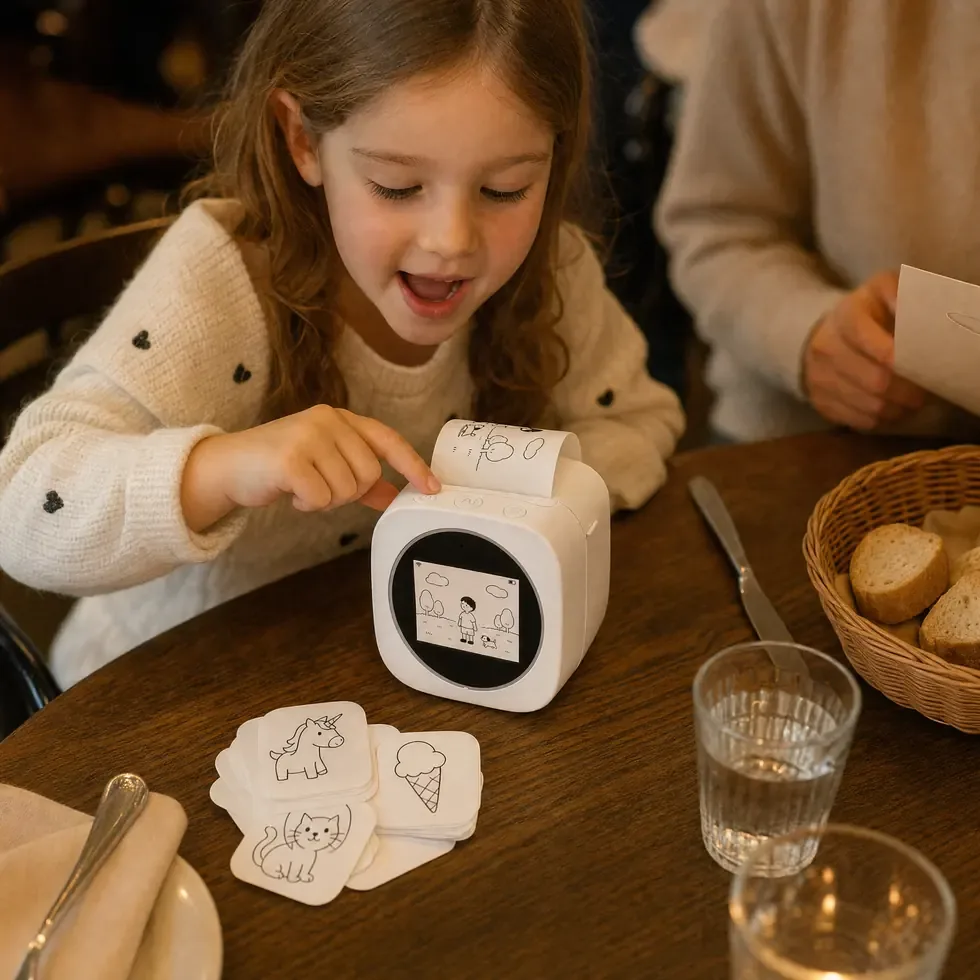
SayItSticker has a built-in camera that prints what it sees as a thermal sticker. In practice that means the family dog, a sibling pulling a face, or a drawing a child made earlier, turned into a sticker on the spot. None of the other four picks in this guide lists a camera. It's a small thing on a spec sheet, but it's often the feature kids get most excited about, because it puts their world on the sticker and not just whatever the AI imagined.
Print quality
Output is 203 dpi black on white, the category norm (only Ognee goes higher, at 300 dpi). The stickers are bold line drawings made for coloring, not photo-realistic prints, and they look it, in a good way: clean outlines, plenty of white space for crayons. Each sticker comes off a 57mm-wide roll. That's a good size for notebooks, water bottles and lunchboxes, though small for a three-year-old to peel.
Paper, refills and running costs
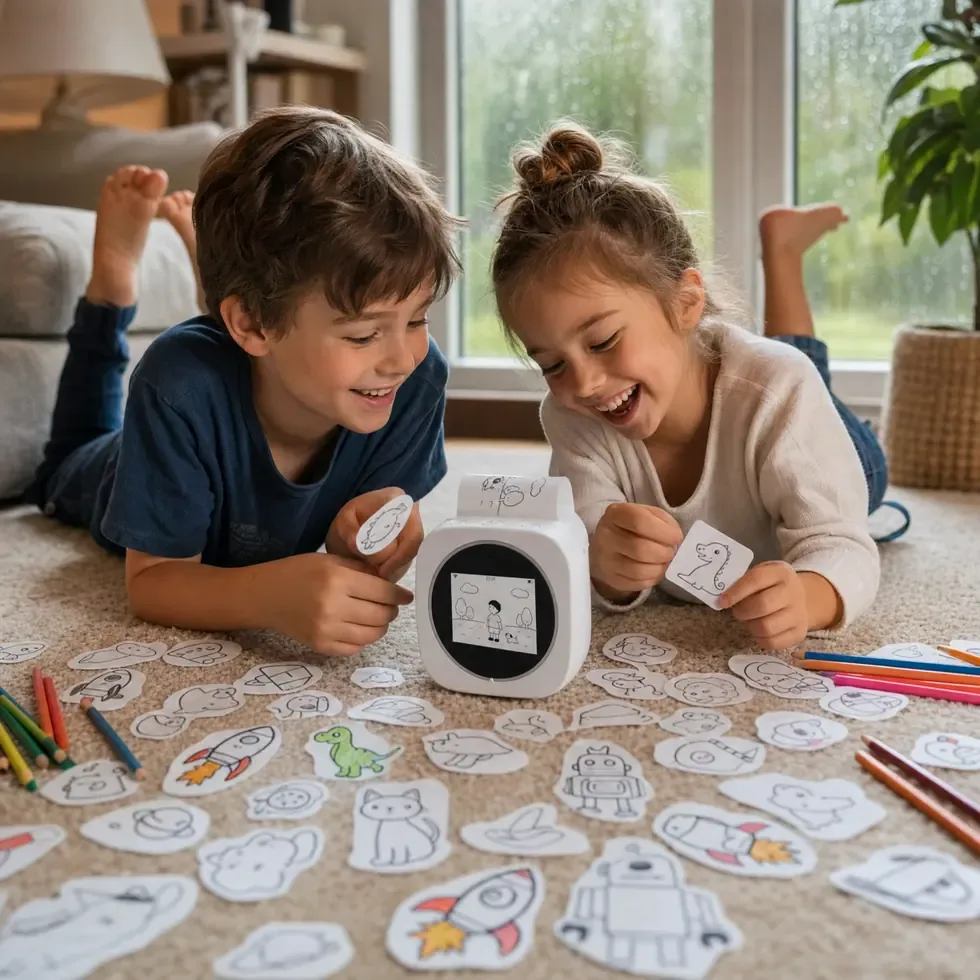
There's no subscription for AI generations, so your running cost is paper and nothing else. SayItSticker takes standard 57mm thermal rolls, the same width the MUNBYN uses and the most common size around. That means you're not locked into one seller's refills the way you are with proprietary sizes. Kids burn through paper fast, so over a year this matters more than the price on the box.
Privacy and safety
The microphone is push-to-talk only. It records while the button is held and has no wake word or always-on listening, which is the design we'd insist on for any AI toy. Thermal paper means no ink for little hands to get into, and the rounded cube has no small detachable parts. On paperwork, SayItSticker currently lists CE. Stickerbox publishes a more detailed privacy statement, and the MUNBYN lists more safety standards. If those documents are your deciding factor, those two are worth a close look, and we say so in the ranking.
What we'd change
- A preview-before-print mode that's clearly documented, to save paper on “no, not that dinosaur.”
- A longer track record. It's the newest brand on this list, and only time fixes that.
- Color. Not realistic for thermal printing at this size, and no rival offers it either, but it's still the most common wish.
- You drive, fly or eat out with kids
- You want variety: six styles plus a camera
- You'd like refills you can buy anywhere
- Your child is 3–10 and pre-reading or early-reading
- It will only ever sit on a desk next to a socket
- A long published privacy policy is your #1 criterion (consider Stickerbox)
- You need color printing
Our verdict on SayItSticker
Every AI sticker maker on this list can turn a spoken idea into a sticker. SayItSticker is the one that can do it in the back seat, at a restaurant table and at the airport gate, with six art styles and a camera so it doesn't get boring by week two. For most families, those are the places where a screen-free distraction is worth the most. That's why it's our pick for the best AI sticker maker of 2026.
How to choose an AI sticker maker: 7 things that actually matter
1. Battery vs. mains power
This is the biggest split in the category, and many listings bury it. Check whether there's a stated battery capacity (in mAh) and a runtime. “USB-C powered” on its own often just means it plugs in.
2. A screen, and whether it previews
A screen lets a child see what they're getting and move through menus without a parent's phone. A preview before printing saves paper. Not every screen does that, so check.
3. Art styles
One style is fun for a week. Several styles keep it fun for a season. Most makers don't publish this at all; SayItSticker lists six.
4. Refills and paper size
Standard 57mm thermal rolls are cheap and sold everywhere. Proprietary sizes and chipped rolls tie you to one seller. Kids go through paper quickly, so this is your real long-term cost.
5. Microphone behaviour
Insist on push-to-talk. A device that only listens while a button is held is far easier to trust than one with a wake word sitting in a child's bedroom.
6. Safety certifications
Look for named standards rather than vague “safe for kids” claims. In the US, CPSIA and ASTM F963 are the toy-safety benchmarks; in Europe, look for EN71 alongside CE.
7. Who's behind it
AI sticker makers depend on online generation. A maker with a track record and a published policy on data is a safer bet that the device will still work in two years.
The one AI sticker maker that ticks battery, screen, camera and six styles
See SayItSticker — 50% Off →AI sticker maker apps vs. AI sticker printers
If you landed here looking for software, here's the quick answer. Apps such as Canva, Adobe Firefly, Picsart, Recraft and Ideogram generate sticker artwork from a text prompt, and several have free tiers. They're the right tool for WhatsApp or iMessage sticker packs, Etsy designs, or vector files to send to a die-cut print shop.
What they don't do is put a sticker in a child's hand. That takes a screen, an adult, a printer and usually a pair of scissors. An AI sticker printer does the whole thing in one step, by voice, with no screen time. Many families end up using both: an app for the adults' projects, and a printer for the kids.
AI sticker maker FAQ
What is the best AI sticker maker?
For most families, SayItSticker. It's the one that pairs a rechargeable battery (about five hours per charge, per the maker) with a color screen, a built-in camera and six art styles, so it works in the car or at a restaurant as well as at home. Stickerbox by Hapiko is best if a published privacy policy matters most, and the MUNBYN Stickee SP01 has the biggest screen if it will stay on a desk.
How does an AI sticker maker work?
A child holds a button and describes a picture out loud. The device sends the request to an AI image model, gets a black-line drawing back, and its thermal printer prints it onto a sticker roll in a few seconds. Thermal printing uses heat, so there's no ink to buy.
Do AI sticker makers need Wi-Fi?
Yes, in practice. Image generation happens online, so every AI sticker maker on this list needs a connection of some kind, such as home Wi-Fi or a phone hotspot. Battery power decides where it can be used; a connection decides whether it can make new drawings there.
Do AI sticker makers charge a subscription?
None of the five in this guide charges a subscription for generating drawings. The ongoing cost is paper. SayItSticker and the MUNBYN SP01 use standard 57mm thermal rolls, which are widely sold and inexpensive.
Are AI sticker makers safe for kids?
Look for a push-to-talk microphone rather than an always-listening one, a content filter on what the AI will draw, and named safety certifications. Thermal paper is ink-free, and Stickerbox specifies BPA- and BPS-free paper. Check each maker's privacy policy for what happens to voice recordings.
What age is an AI sticker maker for?
SayItSticker is rated 3+ and Stickerbox 5+. Kids around 4 to 10 tend to get the most out of them, because the stickers are made for coloring and voice control means they don't need to read or type.
Can I use an AI sticker maker app instead?
Yes, if you want digital stickers or files for a print shop. Canva, Adobe Firefly, Picsart and Recraft all generate sticker artwork, and several have free tiers. They don't print anything themselves, so for a child who wants a sticker in their hand right now, a dedicated AI sticker printer is simpler.
The bottom line
Four of these five are reasonable buys. Choose Stickerbox for the most established name and the clearest written answer on voice data. Choose the MUNBYN if it will live on a desk and you want the biggest screen and the longest certification list. But the question that decided this list is the boring one: an AI sticker maker only fixes boredom where it can be switched on, and most boredom happens away from the kitchen table. SayItSticker pairs a real battery with a screen, a camera, six art styles and standard refills. That's why it goes in the bag, and why it's our pick for the best AI sticker maker.
Ready for the car-ride sticker machine?
Get SayItSticker — 50% Off →